 Record of Processing Activities
 Transfer Impact Assessment
 Privacy Impact Assessment
 Cybersecurity Controls
 Cybersecurity Risk Management
 Asset Inventory Management
 Interactive Awareness Program


Onboarding
Your First Task – Getting Started — Docs
Create your first compliance task in Unicis Platform: what a task is, which fields matter, and what to do once it exists.
A task is the core unit of work in Unicis Platform. It represents a single compliance action item — collecting evidence, reviewing a policy, assessing a vendor — and it can simultaneously hold multiple registers, controls, or assessments.
For example, a task for a non-EU service provider relationship can contain a Record of Processing Activities (RoPA) for GDPR Article 30, a Transfer Impact Assessment (TIA) for the data transfer itself, and linked Cybersecurity Controls as security review evidence — all in one place, with every change tracked automatically.
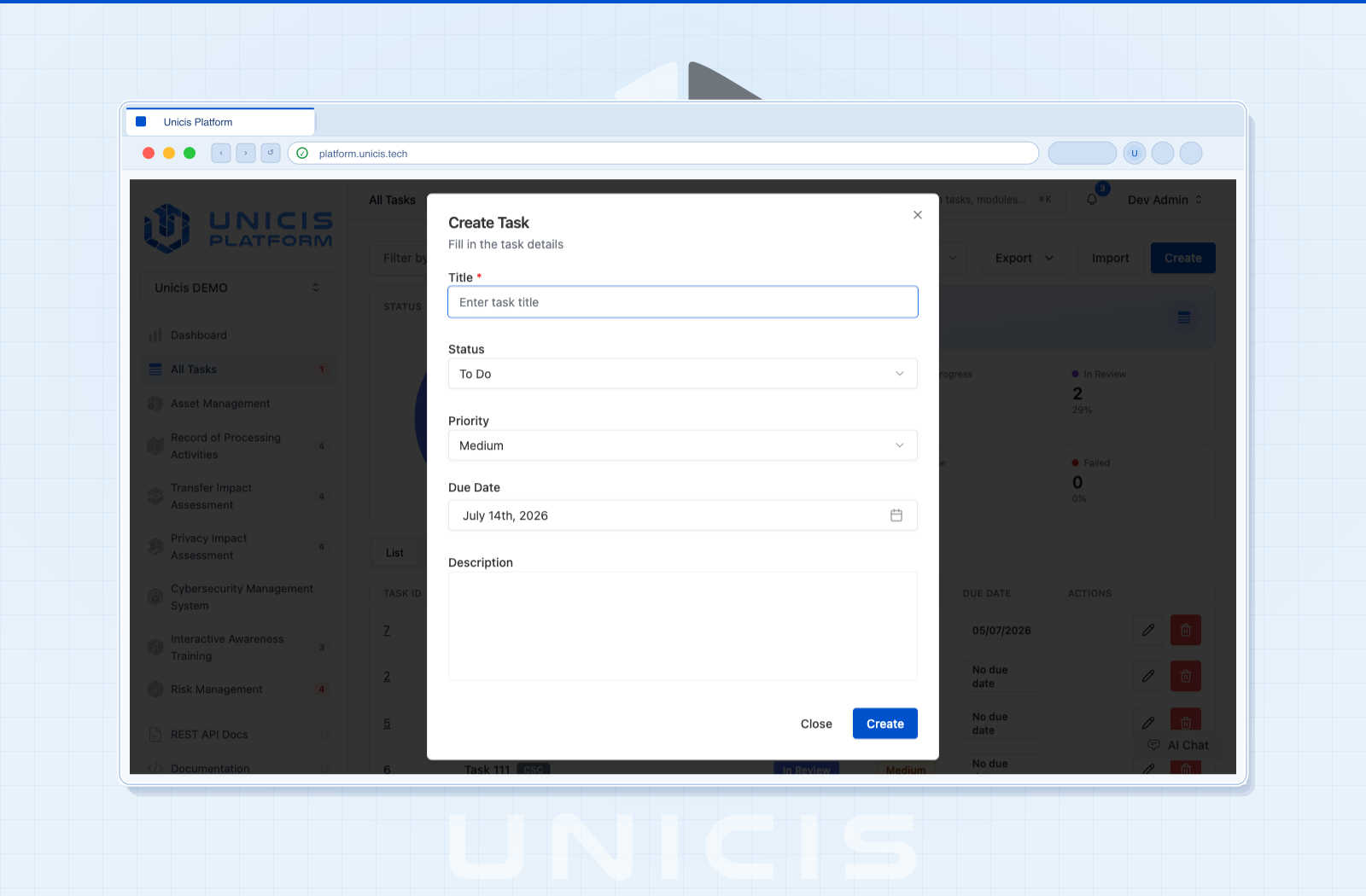
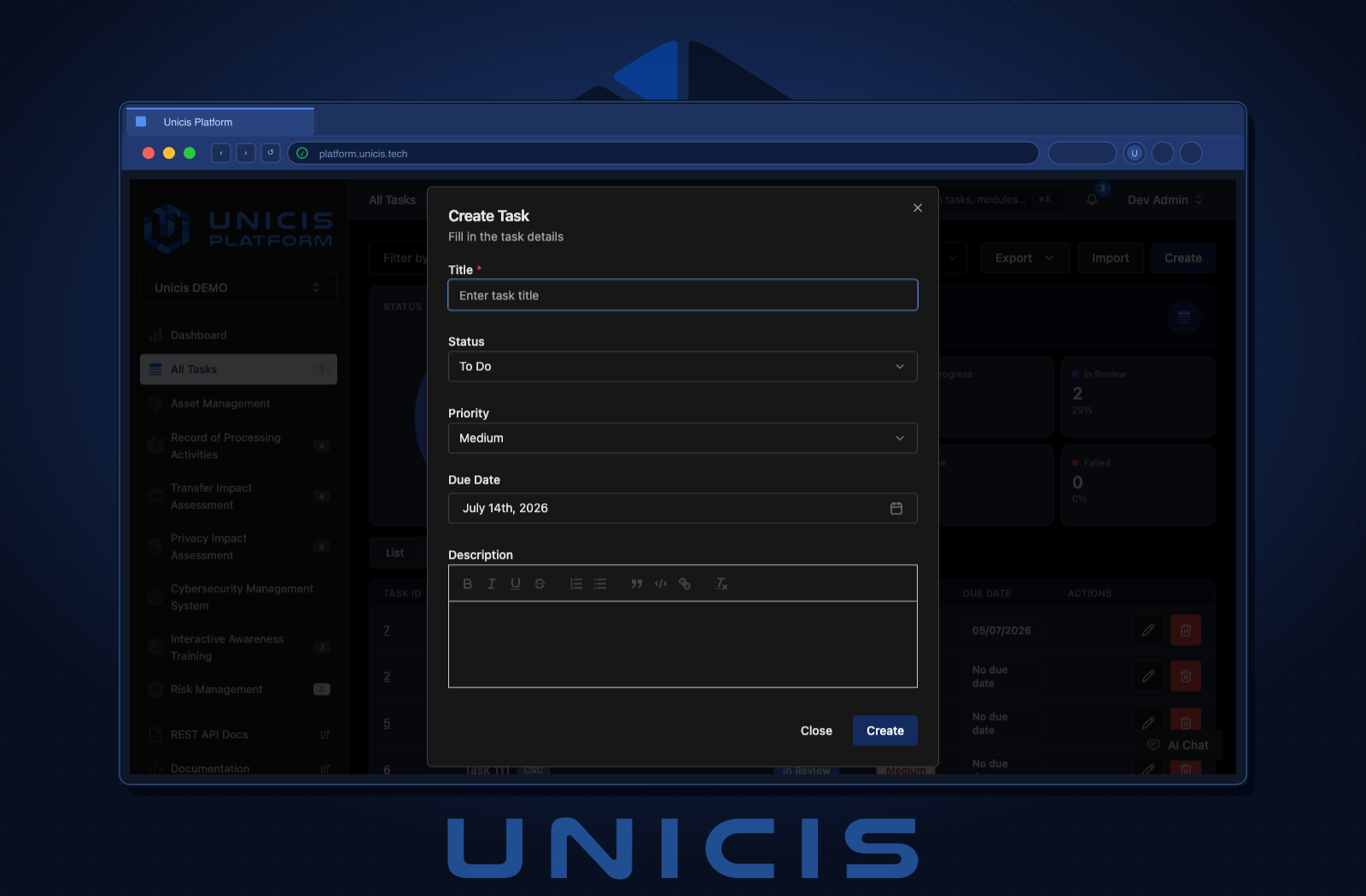
Create Your First Task
- Navigate to All Tasks in the left sidebar
- Click + New Task
- Fill in the task form (see field reference below)
- Click Create
Field Reference
| Field | Description |
|---|---|
| Title | Concise name or identifier for the task |
| Description | Additional context; supports Markdown |
| Status | Current stage: To Do, In Progress, In Review, Feedback, Done, Failed |
| Priority | Urgency level: Low, Medium, High |
| Due Date | Deadline or target date |
Beyond these core fields, a task can be linked to one or more Cybersecurity Controls as evidence — set this up from the Cybersecurity Controls tab once the task is created.
Common Task Types
Most tasks fall into one of three shapes:
- Evidence collection — attach a document, screenshot, or log proving a control is in place
- Policy review — track the review and sign-off cycle for a policy document
- Vendor / third-party assessment — record due diligence for a processor or sub-processor, often paired with a RoPA and TIA
Congratulations — Now What?
Your first task exists. The two things most teams do next:
- Attach evidence — nothing counts as proof until something is attached
- Understand the task lifecycle — see how a task moves from creation to closure, and how changes are tracked without a formal assignee
Try this in the Unicis Platform
Community Edition is free and self-hosted. The Business Edition adds hosting, integrations and priority support.