 Record of Processing Activities
 Transfer Impact Assessment
 Privacy Impact Assessment
 Cybersecurity Controls
 Cybersecurity Risk Management
 Asset Inventory Management
 Interactive Awareness Program













Onboarding
Exporting a Statement of Applicability (SoA) — Docs
Generate an auditor-ready Statement of Applicability from any active framework in Unicis Platform — one click, four export formats.
A Statement of Applicability (SoA) documents which controls from a framework apply to your organization, their current implementation status, and the reasoning behind each decision. It’s a standard deliverable for ISO/IEC 27001 audits — and increasingly requested by customers, insurers, and procurement teams regardless of which framework you’re following.
Export in Under a Minute
- Navigate to CSC (Cybersecurity Management System) in the sidebar
- Select the framework you want to report on
- Click Export SoA
- Choose a format and click Download
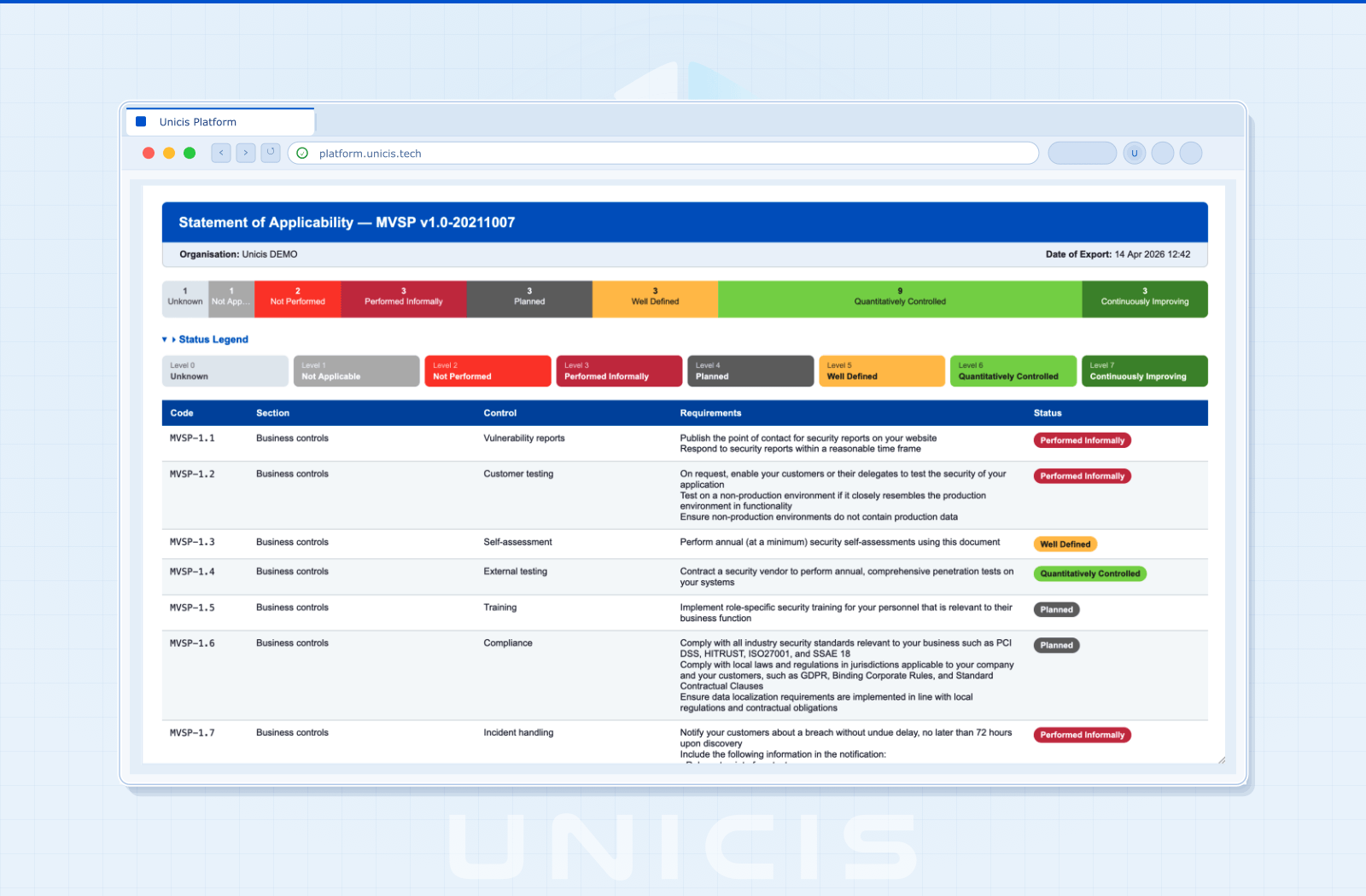
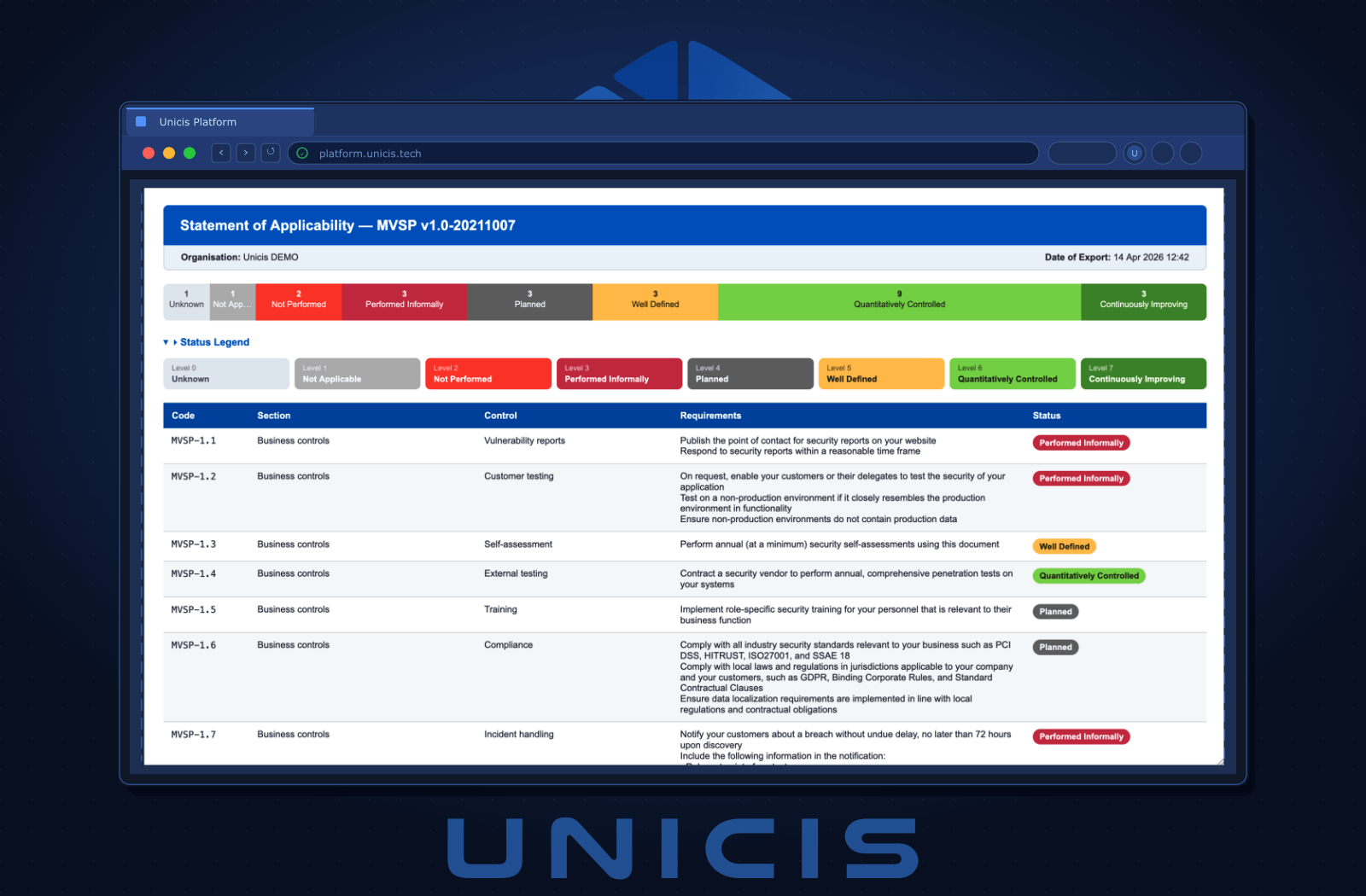
No configuration, no template to maintain — the export reflects whatever your Controls Table currently shows for the selected framework. See CSC → Controls Table if you haven’t reviewed your control statuses yet.
Choose Your Format
| Format | Best For |
|---|---|
| Excel (.xlsx) | Colour-coded statuses, auto-filter, and a separate legend sheet — the format most auditors ask for |
| OpenDocument (.ods) | Same spreadsheet, open-standard format — compatible with LibreOffice, Google Sheets, and other non-Microsoft tools |
| Printable, landscape A4 document with the status legend included — ready to attach to an audit package as-is | |
| HTML | A self-contained web page — open it in any browser, or print it to PDF yourself |
What’s Included
Every export contains:
- Header — document title, your organisation name, date of export, and the framework being reported
- Status legend — every maturity status your organization uses, with its meaning spelled out (see CSC → Maturity Levels)
- Controls table — code, section, control name, requirements, current status, maturity level, and meaning, one row per control
- Total control count for the framework
- Generated by Unicis Platform attribution, so recipients know the source is a live system, not a stale spreadsheet
Works With Any Active Framework
The SoA export isn’t limited to ISO/IEC 27001 — it works for any framework enabled in your CSC module, including GDPR, NIS2, CIS Controls, SOC 2, and PCI DSS. If you followed the GDPR Quick Start, you can generate a GDPR-scoped SoA the same way — useful for demonstrating Article 32 technical and organisational measures to a customer or regulator without building a custom report.
Where This Fits in Your Audit Trail
The SoA is a snapshot — a report of control status at export time. The underlying proof still lives on the tasks linked to each control, which is why it stays trustworthy: nobody has to remember to update a separate document when a control’s status changes, because there’s no separate document until you click Export.
Next Steps
- Not sure which controls to prioritize first? Start with Your First Task and the GDPR Quick Start
- Need the underlying evidence to be audit-ready before you export? See Attaching Evidence & Building Your Audit Trail
Try this in the Unicis Platform
Community Edition is free and self-hosted. The Business Edition adds hosting, integrations and priority support.