 Record of Processing Activities
 Transfer Impact Assessment
 Privacy Impact Assessment
 Cybersecurity Controls
 Cybersecurity Risk Management
 Asset Inventory Management
 Interactive Awareness Program













Onboarding
Attaching Evidence & Building Your Audit Trail — Docs
What counts as evidence in Unicis Platform, how to attach it to a task, and framework-specific examples for GDPR and NIS2.
Creating a task is easy. Attaching proof that the work was actually done is where most teams get stuck — and it’s the single biggest blocker after task creation. This guide covers what counts as evidence, how to attach it, and how to organize it so an auditor can follow your trail without asking you twice.
What Counts as Evidence
- Documents — policies, procedures, contracts, Data Processing Agreements (DPAs)
- Screenshots — configuration screens, access control settings, encryption settings
- Emails — approval chains, vendor correspondence, incident notifications
- Links — references to external systems of record
- Meeting notes — risk review minutes, audit prep discussions
Supported file types: PDF, DOCX, XLS, ODT, ODS, RTF, CSV, JSON, XML, TXT, PNG, JPG/JPEG, ZIP, TAR, GZ, 7Z Maximum file size: 10 MB per file
Step-by-Step: Attaching Evidence to a Task
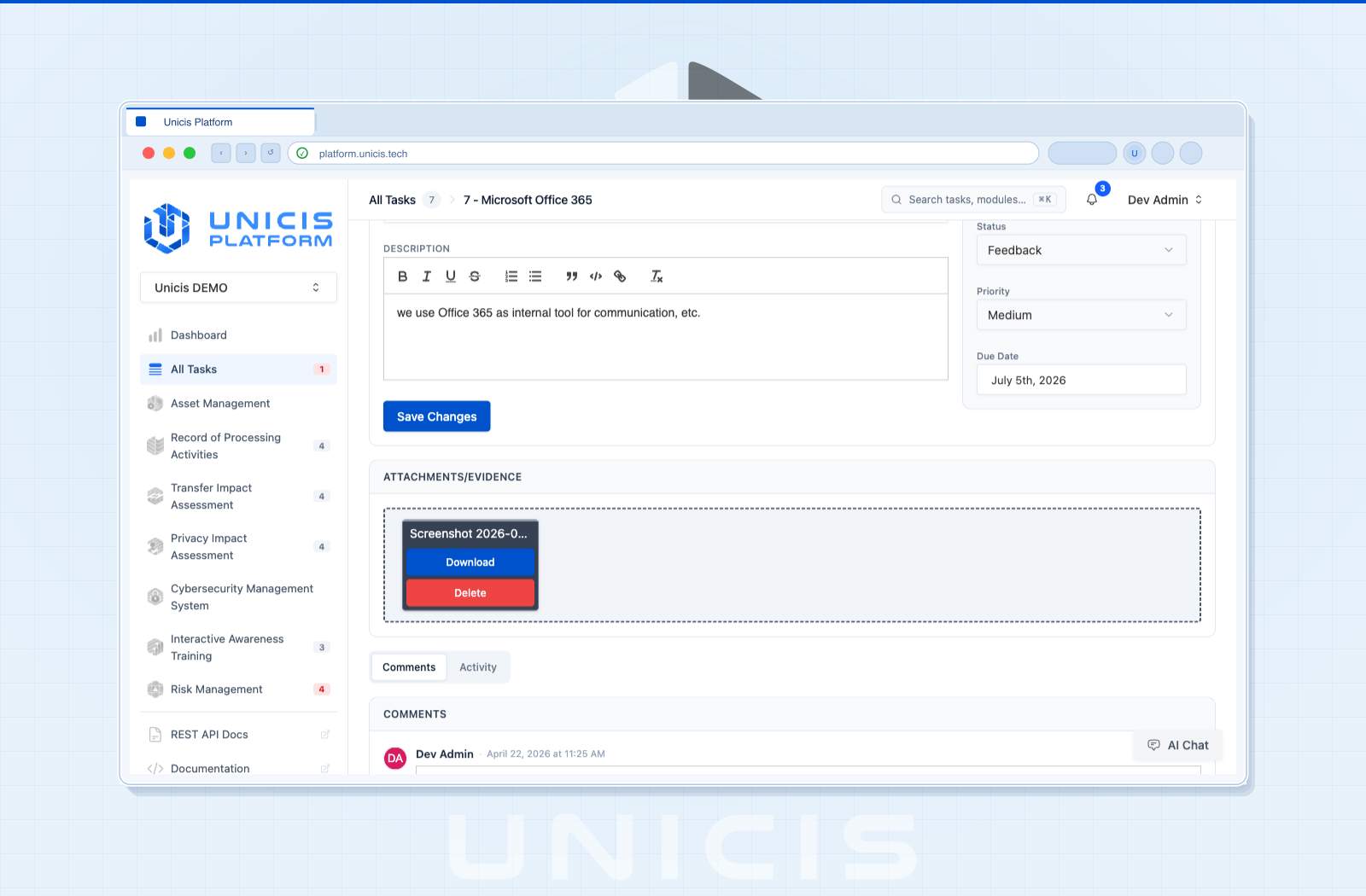
- Open the task you want to add evidence to
- Go to the Attachments tab
- Click Upload and select your file, or paste a link
- Give the attachment a clear, descriptive name (see naming conventions below)
- Save — the attachment is now part of the task’s audit trail
Naming Conventions & Organization
A consistent naming pattern makes evidence searchable months later, when you’re prepping for an audit instead of doing the work fresh:
[Framework]-[Control code]-[Evidence type]-[Date]
GDPR-Art32-EncryptionPolicy-2026-07.pdf
NIS2-Art13-AccessLog-2026-Q2.csv- Prefer one clearly-named file over several loosely-named ones
- Reference the control code in the filename, not just the task title — tasks can cover multiple controls
- Keep evidence current: re-upload rather than editing external files that the platform can’t see
Real Examples by Framework
GDPR Article 32 — Security of Processing
Attach: DPA + encryption policy + incident log. Together these show technical and organizational measures (TOMs) are both defined and operating.
NIS2 Article 13 — Cybersecurity Risk-Management Measures
Attach: access control policy + audit log. This demonstrates both the policy exists and that it’s enforced in practice.
Both examples map directly onto Unicis’s Cybersecurity Controls module — see the GDPR Quick Start for a full end-to-end walkthrough of picking controls and generating these tasks automatically.
Comments & Collaboration
Evidence review is rarely a single pass. Use the Comments tab to leave feedback directly on a task — comments support Markdown and emoji reactions for lightweight acknowledgement.
Import / Export for Bulk Evidence
RoPA, TIA, PIA, and Risk Management records can be imported and exported in bulk (Excel, OpenDocument, CSV, plus HTML/PDF for export) — useful when migrating evidence between environments or sharing an assessment package with an external auditor. See Tasks → Import / Export.
Next Steps
You now know how to create a task, move it through its lifecycle, and attach proof. Put it all together with the GDPR Quick Start — a full 30-minute walkthrough from framework import to your first three evidenced tasks.
Try this in the Unicis Platform
Community Edition is free and self-hosted. The Business Edition adds hosting, integrations and priority support.