 Record of Processing Activities
 Transfer Impact Assessment
 Privacy Impact Assessment
 Cybersecurity Controls
 Cybersecurity Risk Management
 Interactive Awareness Program








Unicis Platform Adds an MCP Server: Let AI Handle Your Compliance Busywork
Unicis Platform now ships a Model Context Protocol (MCP) server, letting Claude and other AI assistants read and act on your compliance data directly. Available on Premium and Ultimate plans.
Today we’re shipping an MCP (Model Context Protocol) server for Unicis Platform. If you use Claude or another MCP-compatible AI assistant, you can now connect it directly to your Unicis data and let it do the work — not just talk about it.
Why this matters
GRC work is full of small, repetitive tasks: pulling evidence for an audit, updating a RoPA entry, triaging overdue tasks, checking where your CSC posture stands against a framework. None of that is hard, but it adds up — and it’s exactly the kind of work that pulls you away from anything that actually needs a human judgment call.
With the MCP server, your AI assistant isn’t limited to giving advice in a chat window. It can read your real Unicis data and write back to it — create a task, update a control status, draft a RoPA entry, summarize what’s overdue — all from the same conversation where you asked the question. That turns “ask the AI, then go do it yourself” into one step.
What you can do with it
The MCP server exposes your team’s Tasks, RoPA, TIA, PIA, Risk, and CSC records as tools an AI assistant can call directly. In practice, this means you can ask your assistant to:
- Triage and prioritize your open tasks at the start of the day
- Draft or update a RoPA or TIA entry from a plain-language description
- Check your current Cybersecurity Controls status across frameworks
- Comment on or close out tasks as part of a broader workflow
- Pull together a quick status summary before a stakeholder check-in
This is the difference between an AI assistant that answers questions and one that actually moves your daily compliance workflow forward — automating the parts that used to require you to switch tabs, re-explain context, and do the data entry yourself.
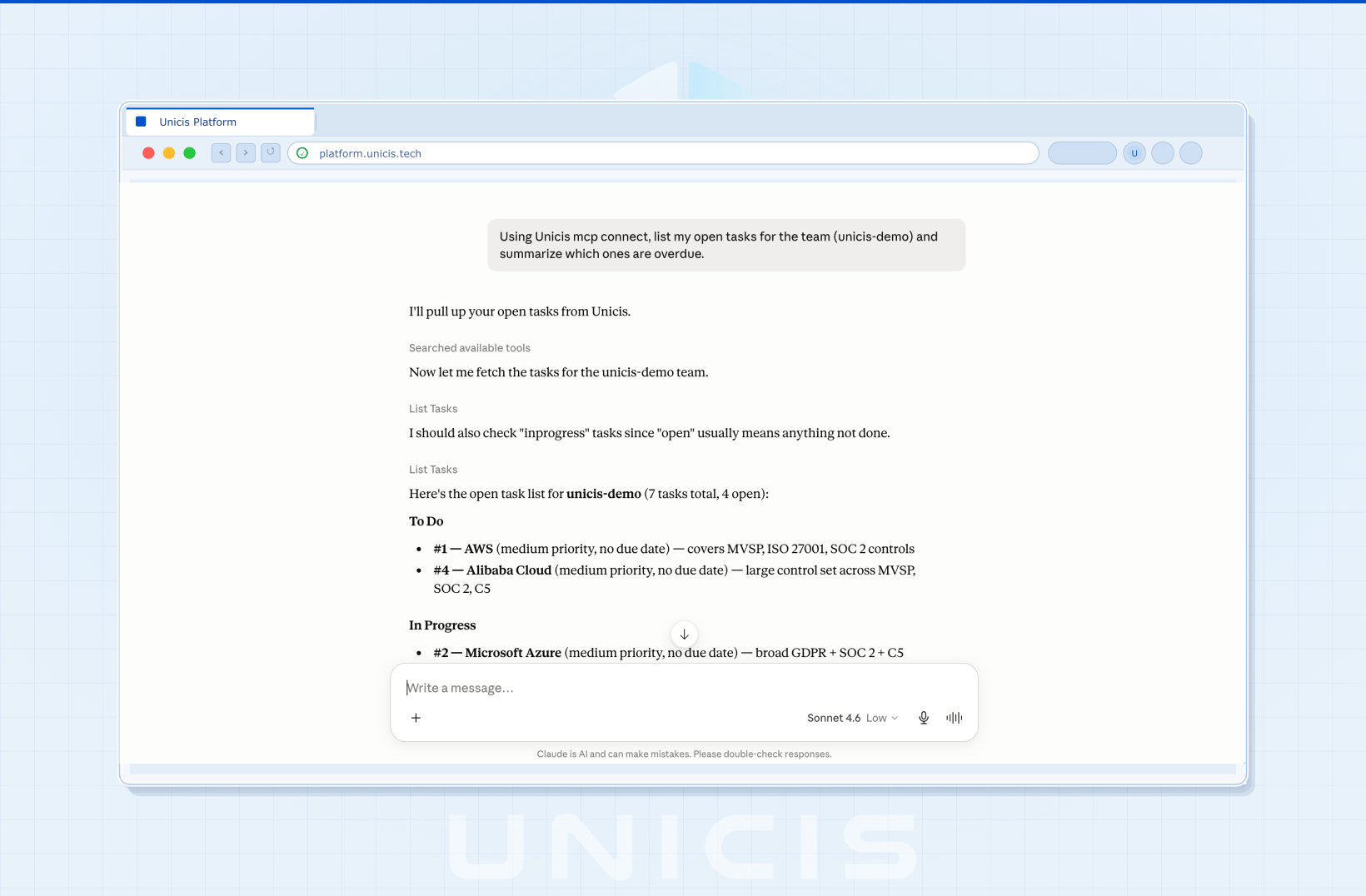
Ask Claude to pull your open tasks, and it calls the Unicis MCP server directly — no dashboard, no copy-pasting, just an answer drawn from your real data.
Built for MSSPs and multi-tenant teams
Access is scoped per team through its own API key, which matters most if you’re an MSSP or consultancy managing several client tenants on Unicis. Generate one API key per team, add one entry per team to your AI assistant’s configuration, and your assistant has every client’s tasks, controls, and risk data available side by side in the same conversation — no switching accounts, no re-authenticating per client. One assistant, one place to work, across all the tenants you manage.
Works alongside any other MCP connector
The Unicis MCP server doesn’t have to work alone. Because it’s a standard MCP connector, it runs side by side with any other MCP server you’ve already added to Claude or your AI assistant — there’s no lock-in and no special integration work required.
In practice, that means your assistant can pull evidence from wherever it actually lives and file it straight into Unicis in the same conversation: query a SIEM connector for log evidence to back up a control, pull a policy document out of a Google Drive or Microsoft OneDrive connector and attach it to a task, or cross-reference a ticket from your ITSM connector — then write the result into the right RoPA, CSC, or risk record without leaving the chat. There’s no limitation on which tools it can work with — any MCP connector you can run, you can combine with Unicis.
Getting started
Setup takes two steps:
- Generate an API key from Team Settings → API Keys
- Add the Unicis MCP server to your AI assistant’s configuration using that key
Full setup instructions are in the MCP Server documentation.
Availability
The MCP server is available on Premium and Ultimate plans. It is not included on the Community plan. See Pricing for full plan details, or Integrations for how it fits alongside our other connections.
Have feedback or a workflow you’d like to see automated? Find us on Discord, open a request on the Feedback Portal, or contact us directly.
Unicis Platform
Ready to automate your GRC workflow?
Join teams using Unicis to manage privacy compliance, cybersecurity controls, and regulatory frameworks — all in one open-source platform.