 Record of Processing Activities
 Transfer Impact Assessment
 Privacy Impact Assessment
 Cybersecurity Controls
 Cybersecurity Risk Management
 Asset Inventory Management
 Interactive Awareness Program








Your Asset Register Is Wrong: Introducing Asset Inventory Management
Unicis Platform now discovers, enrolls, and continuously monitors your endpoints with osquery — powered by Unicis Fleet, our new multi-tenant osquery TLS server. Here is what shipped on 1 September 2026 and why it matters for ISO 27001, NIS2, and CIS.
Every information security audit contains the same quiet moment. The auditor asks for your asset inventory, you open a spreadsheet, and everyone in the room silently agrees not to ask when it was last accurate.
ISO/IEC 27001:2022 asks for it in A.5.9. CIS Controls v8.1 makes it Controls 1 and 2 — the first two, because you cannot secure what you have not enumerated. NIST CSF 2.0 puts it under ID.AM. NIS2 assumes it. And yet the artefact almost everyone produces is a hand-maintained list that was true once.
Today we are shipping the fix. Unicis Platform 2026-09-01 adds Asset Inventory Management — a module that builds your inventory from the machines themselves.
What actually ships
Two things, really.
The first is a new backend service: Unicis Fleet, a multi-tenant osquery TLS management server. osquery is the open-source agent that exposes an operating system as a relational database — you ask it SQL questions like “is disk encryption enabled” or “which processes are listening on which ports” and it answers from the live system. Fleet terminates the osquery protocol, isolates each team into its own tenant, and exposes a management API scoped by team ID.
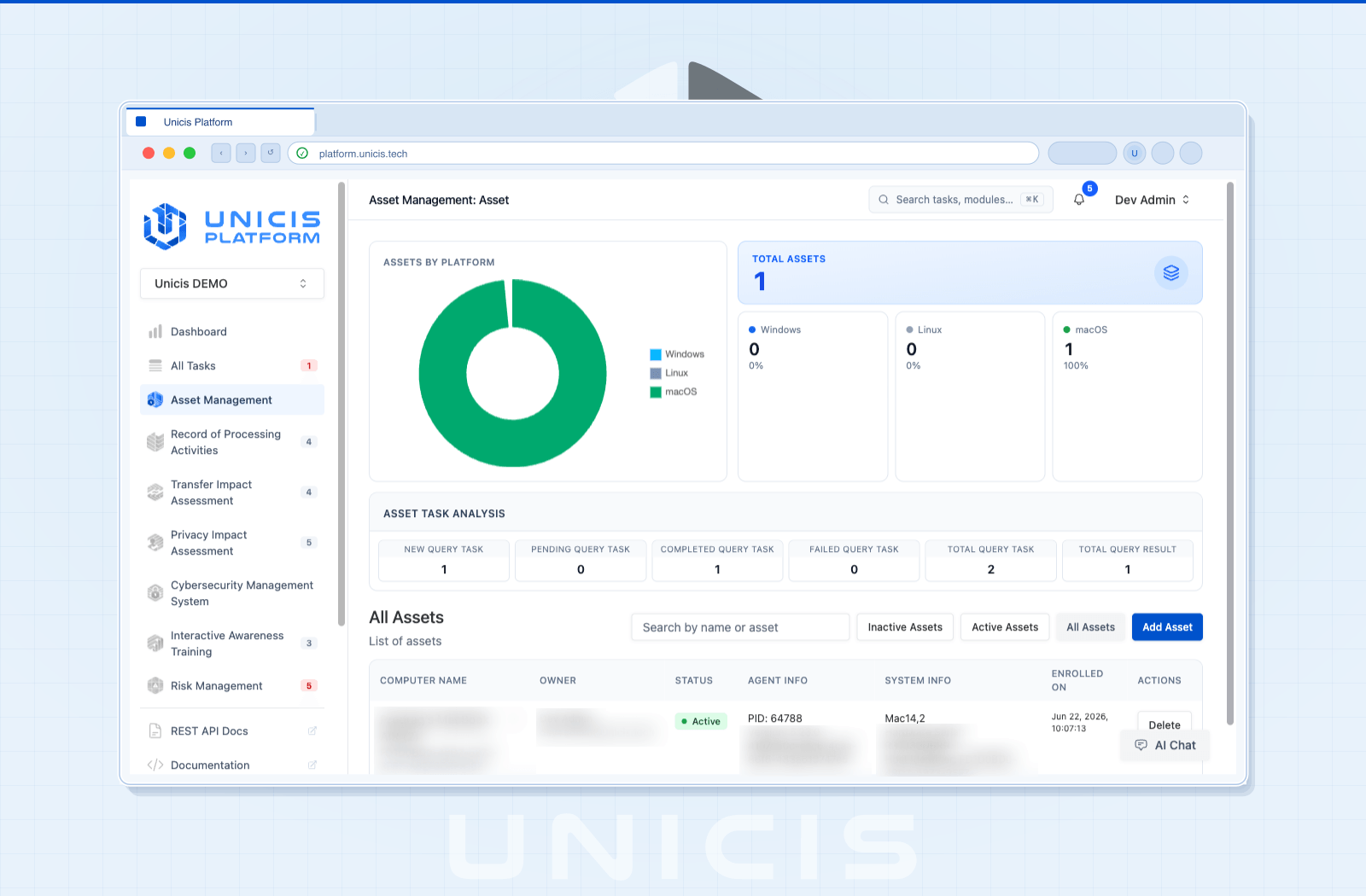
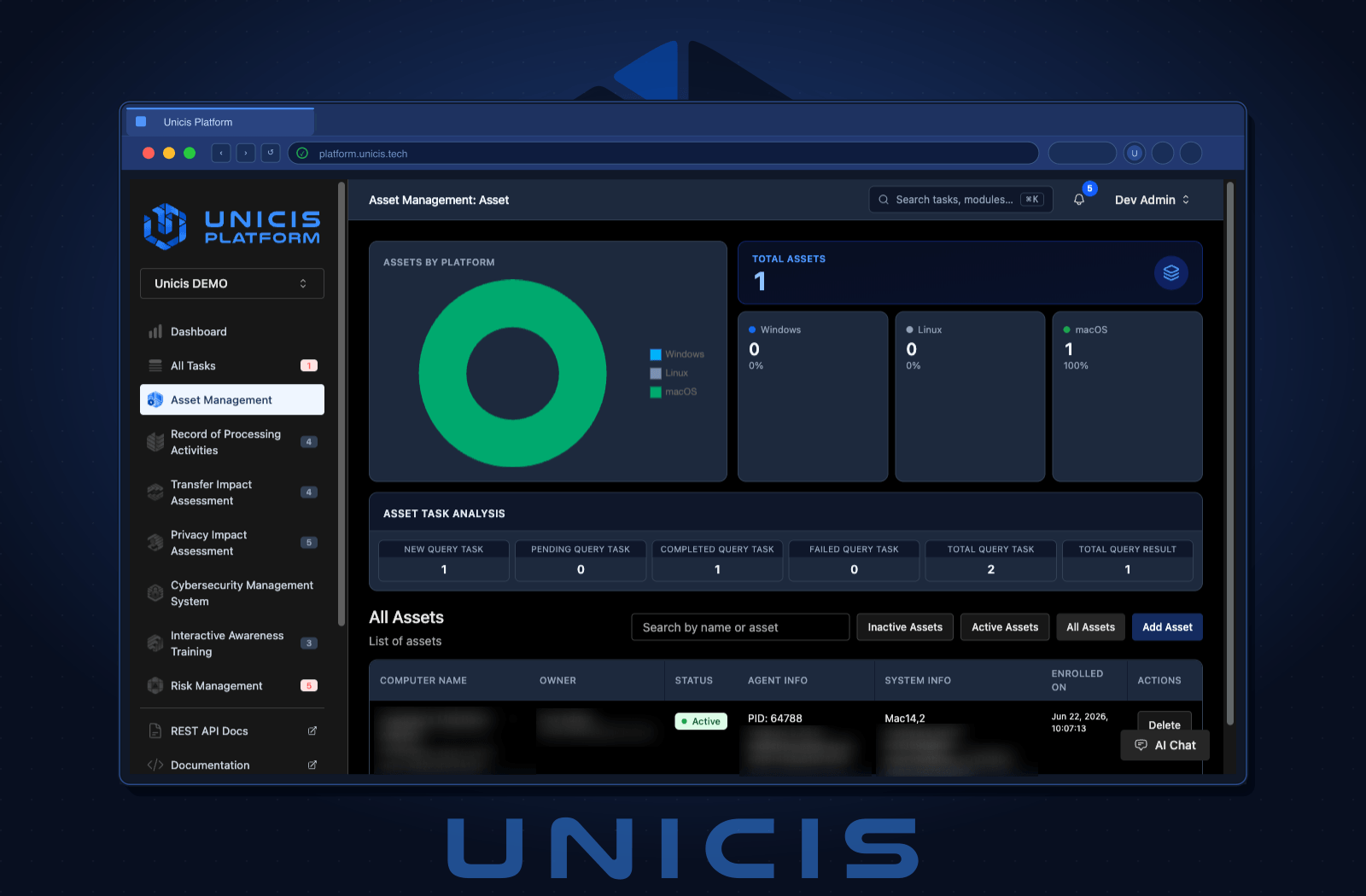
The second is the Asset Management module inside Unicis Platform, on the Ultimate plan. It is where you enroll agents, watch the inventory, write queries, schedule packs, and fire live queries during an incident.
A note on where Fleet’s source lives
Unicis is open-core, so it is worth being straight about this one: Fleet is not in our public GitHub organisation today. It sits in a private GitLab repository, and Ultimate customers who self-host are given access to it.
The reason is licensing, not philosophy. Asset Inventory Management is an Ultimate-plan capability, and we have not built licence and billing management into the platform yet — so there is currently no mechanism that would let us publish the code and still have the plan mean anything. Rather than ship a licence check we would have to rewrite later, or publish something we cannot support properly, we kept it private for this release.
Licence and billing management is what changes that. It is the piece that gives us real visibility over who is entitled to what, and lets us manage it properly instead of by hand. Once it lands, Fleet moves to a public repository like the rest of Unicis. We are not going to put a date on it here, but that is the direction, and it is why the repository is private rather than closed.
From nothing to a live inventory in five steps
Bootstrap. A team owner or admin opens Asset Management and orders a secret. The platform creates the team’s Fleet account, its Fleet tenant, and its enrollment secret.
Enroll teammates. Admins invite team members by email. Each invitation carries a single-use token valid for 24 hours and a generated temporary password the user must replace on first login. Platform roles map to Fleet roles automatically, and access can be revoked at any time.
Install the agent. The Add Asset dialog generates the exact install and enrollment commands for the platform you pick — Windows via MSI and PowerShell, Debian and RPM packages for Linux, macOS, and an Advanced tab that emits the raw flag set for teams that roll agents out via Ansible, Puppet, Intune, or MDM. The commands come pre-pinned to your tenant: TLS hostname, enrollment endpoint, distributed read and write endpoints, logger endpoint, refresh intervals. Where the deployment issues per-team TLS material, the CA certificate is shown alongside so the agent pins to your server, not just to any server.
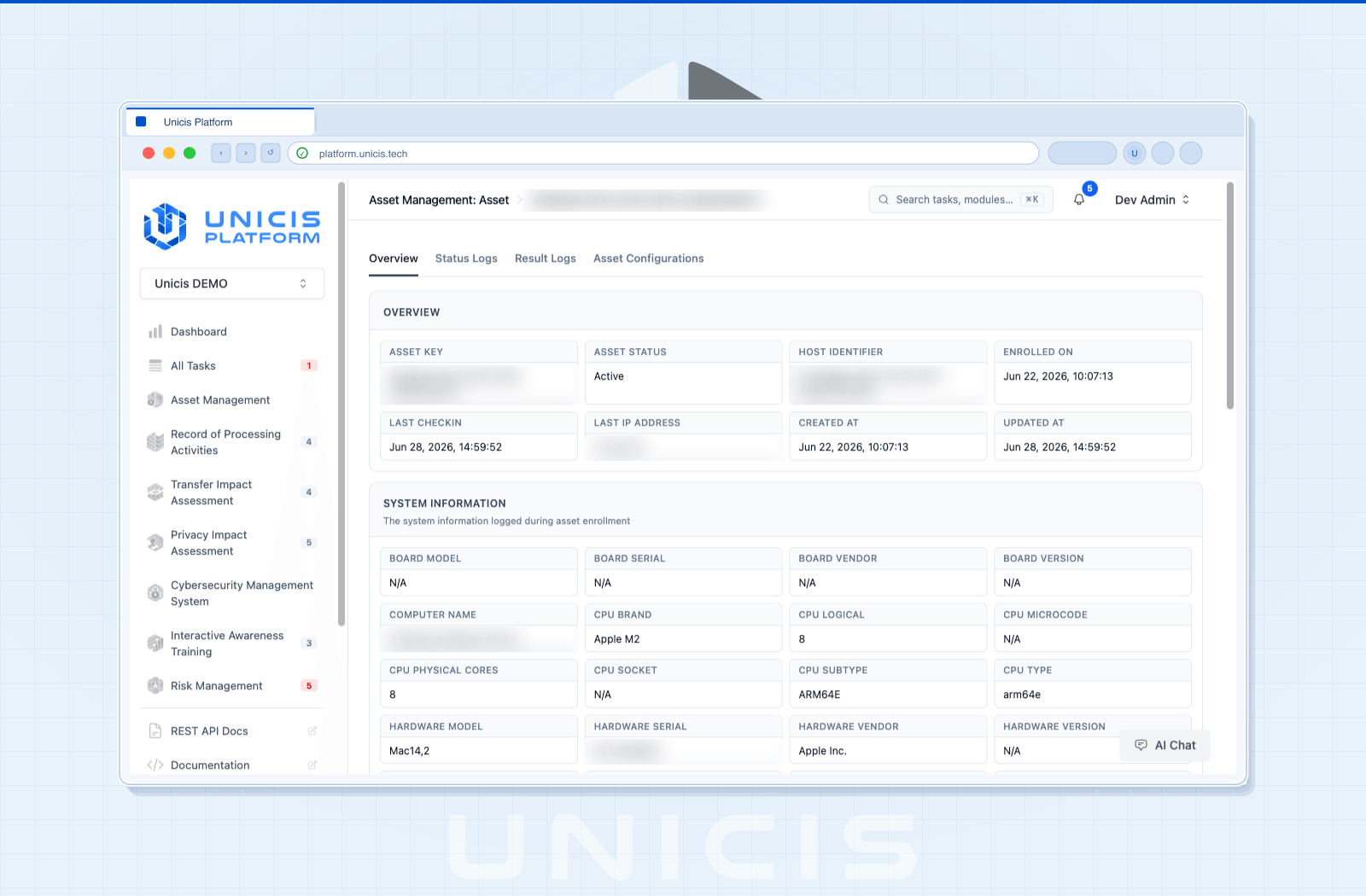
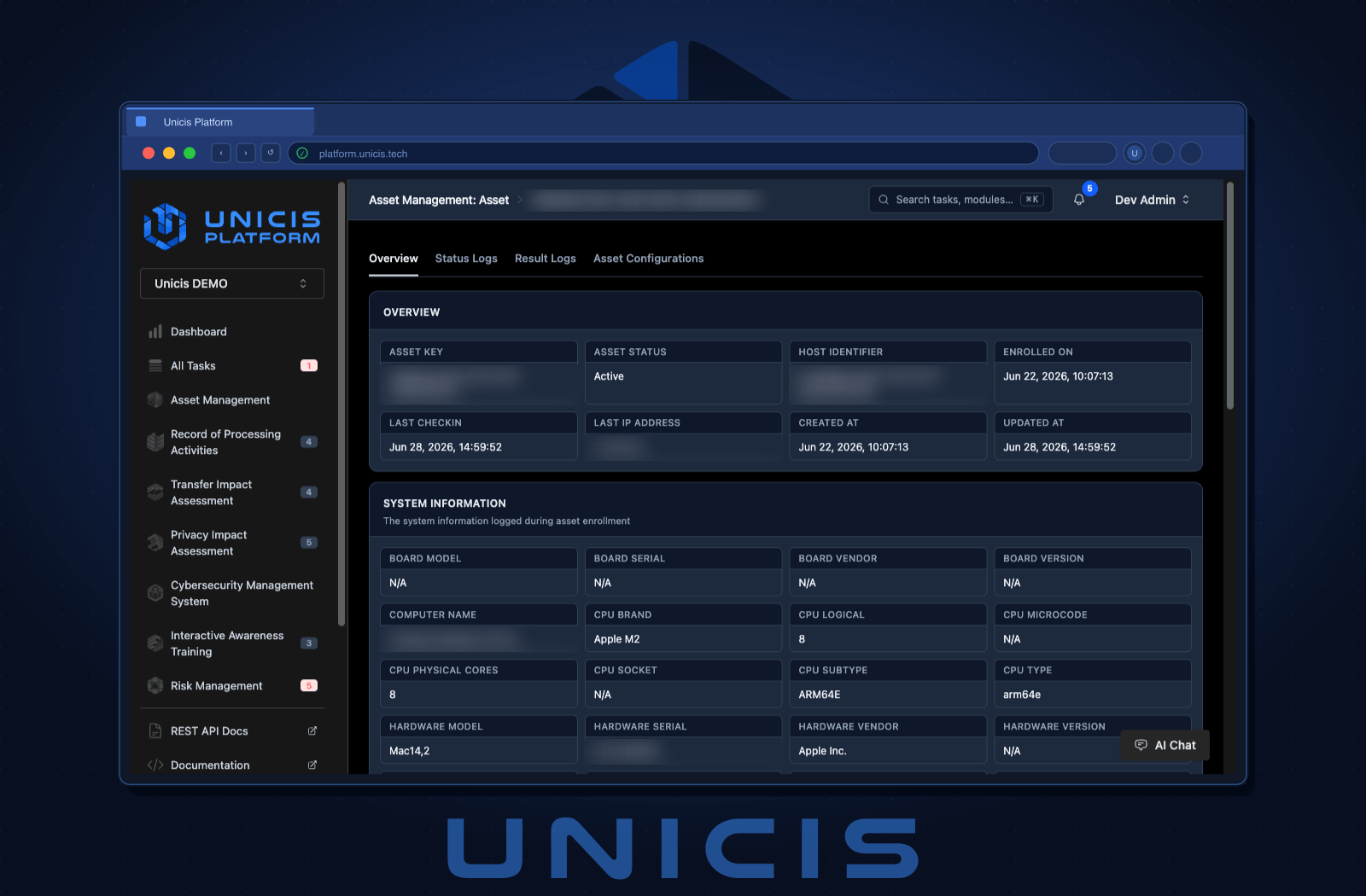
Monitor. Assets check in and report platform, enrollment time, and last check-in. The dashboard shows totals and a platform breakdown; the asset table is searchable, filterable by active and inactive, and paginated. Each asset has its own page with an overview, status logs, result logs, and — the tab we expect auditors to enjoy most — the exact configuration that node received, down to the raw config.
Retire. Disconnecting Fleet expires access immediately and schedules the team’s Fleet data for deletion after your configured retention window. Reconnect before it elapses and nothing is lost; let it elapse and a background worker deletes the data and the enrollment records. The default retention is zero days, so if you want a grace period, set FLEET_DISCONNECT_RETENTION_DAYS deliberately.
Queries, packs, and live queries
A static inventory answers “what do we have”. The interesting compliance questions are about state: is encryption enabled, is the firewall on, which machines still run that vulnerable package.
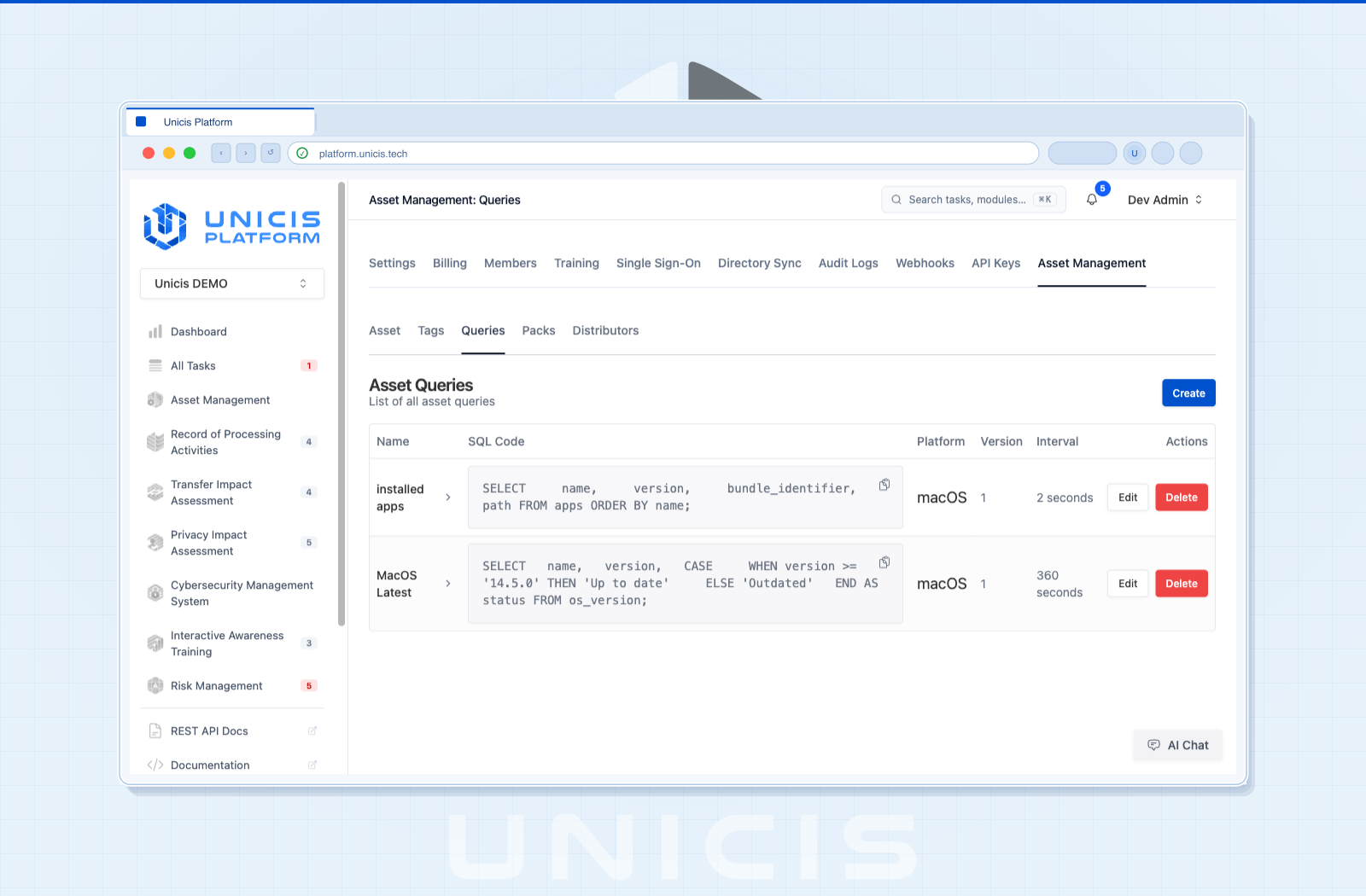
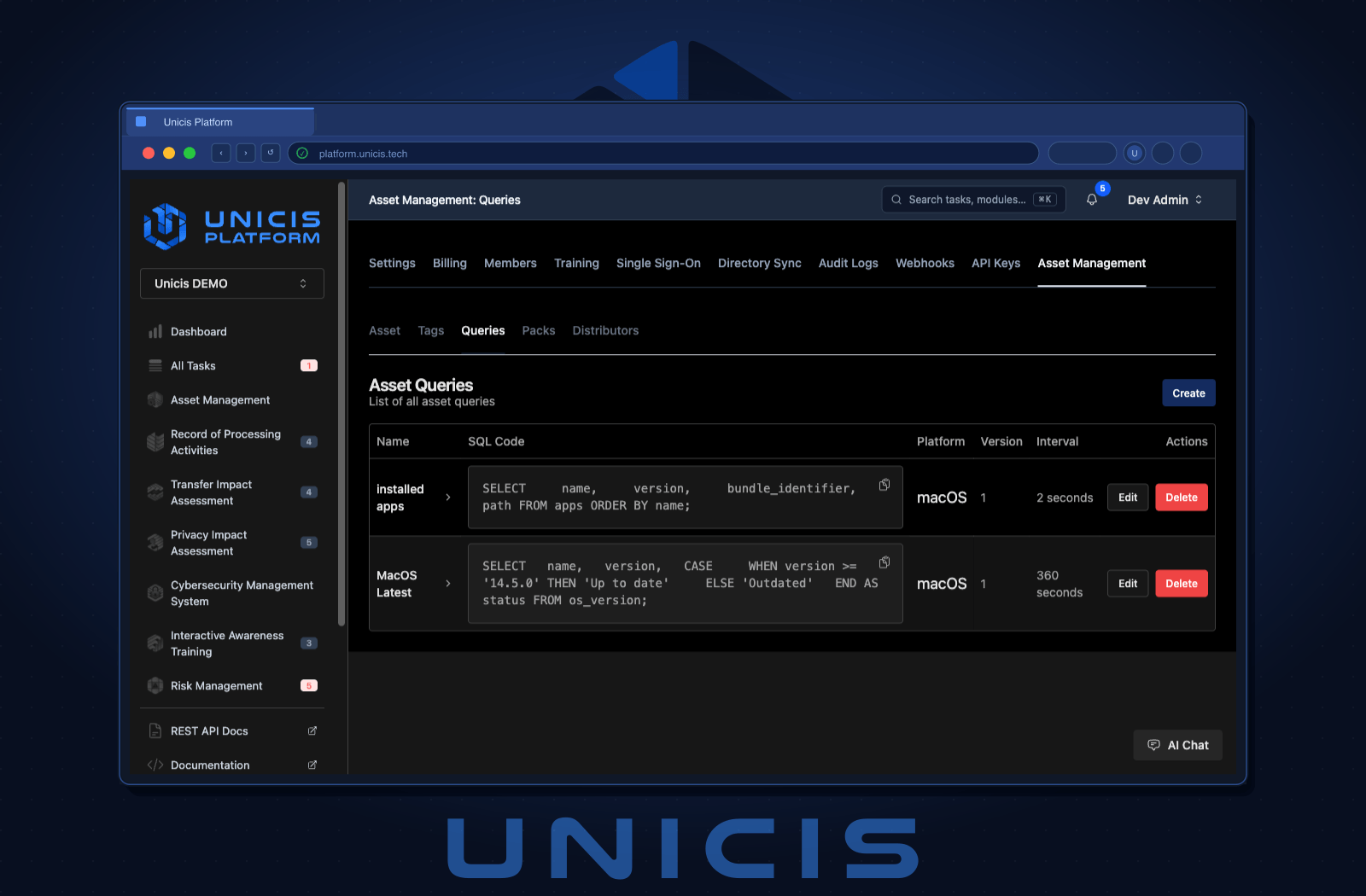
Saved queries are osquery SQL you write once, with a platform target and a schedule interval. The SQL is validated before it is saved — one statement, SELECT only — so a typo surfaces in the form rather than as an empty result set three hours later.
Packs group queries on a schedule and attach to tags, which is how a check becomes continuous monitoring rather than a one-off. Tag your production Linux boxes, point the pack at that tag, and it reaches exactly those machines.
Distributors — distributed, or live, queries — are for the moment when scheduling is too slow. Create one, target your assets, and the next time those agents call in they pick it up. Results move through new → pending → complete or failed. This is the incident-response tool: which of our machines has this file, which are running this version, who still has that package.
Multi-tenancy taken seriously
Asset data is sensitive. A monitoring agent on every endpoint is exactly the kind of thing that must not leak across tenants, so the isolation is structural rather than advisory:
- Each team gets its own Fleet tenant, its own enrollment secret, and its own TLS material.
- Every management endpoint is scoped by team ID at the API layer.
- Fleet credentials are separate from platform credentials. Signing into Unicis Platform does not grant fleet access; connecting requires a second, per-user Fleet login that issues a short-lived,
SameSite=Strictcookie. - Six new RBAC resources govern the dashboard, the connection, assets, queries, packs, and tags. Auditors get a read-only view of the inventory and analysis — they never see the enrollment secret or the agent installation commands.
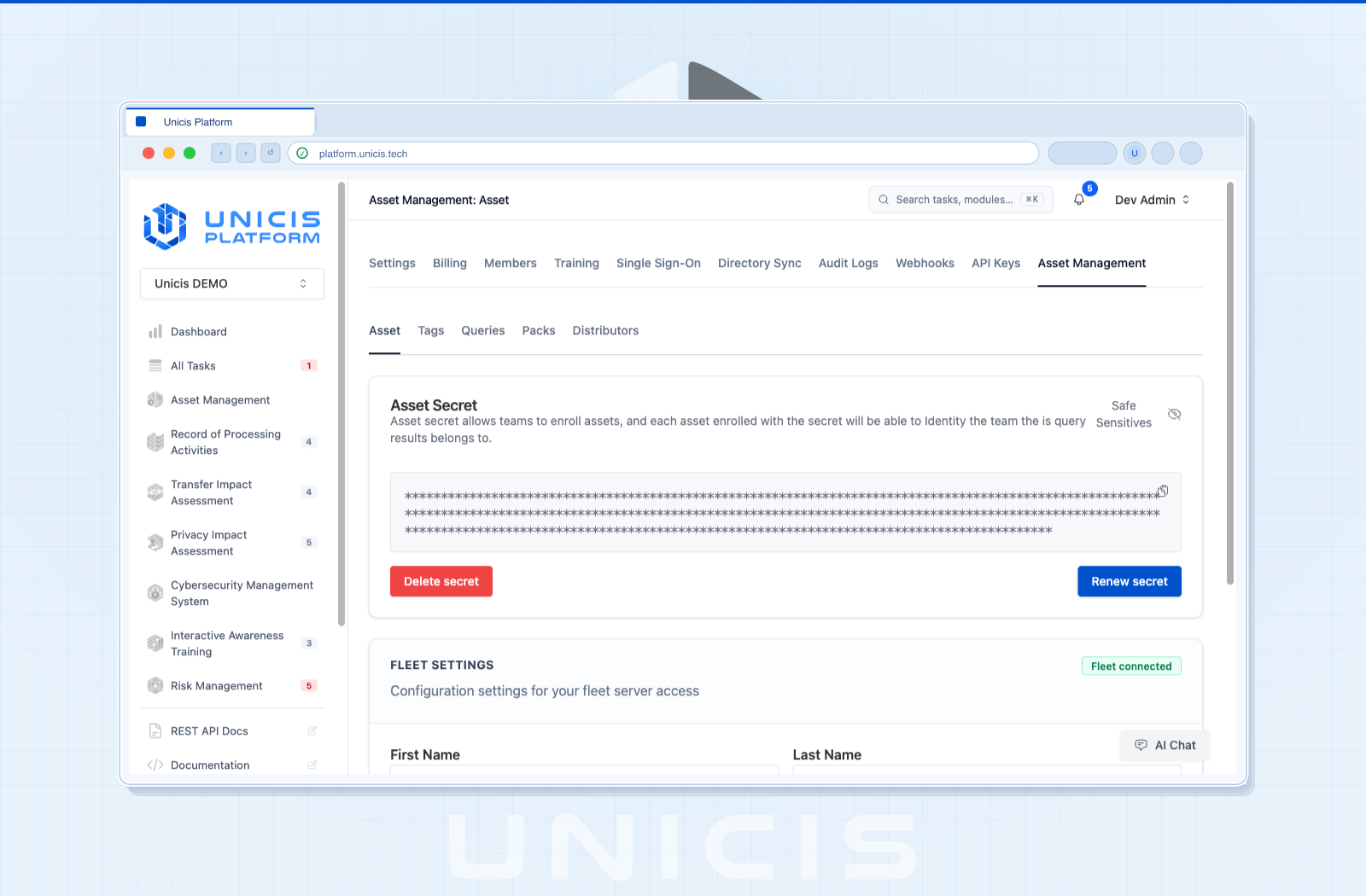
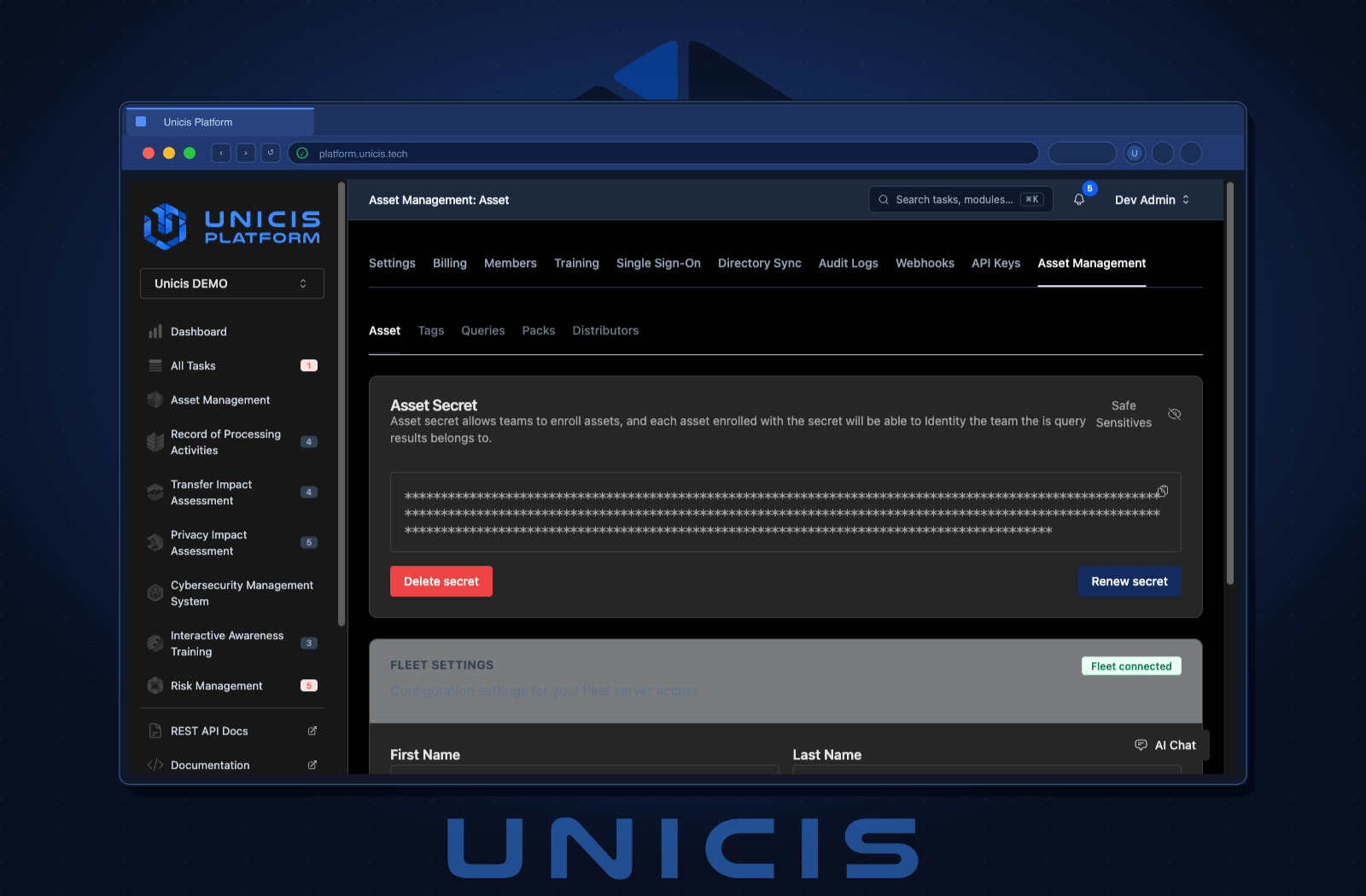
The enrollment secret can be rotated on demand. One caveat worth stating plainly: rotation does not re-enroll existing agents, so plan the rollout of the new secret file alongside the rotation.
Why this belongs in a compliance platform
You could run an osquery fleet on its own. Plenty of teams do. What you get by having it inside Unicis Platform is that the inventory sits next to the controls it evidences, the risks it informs, and the tasks it generates.
The asset list backing your ISO 27001 A.5.9 control is the same one your CIS Control 1 evidence points at. The asset task analysis links enrolled machines to the work tracked in the platform. And when the auditor asks “how do you know encryption is enabled on all of these”, the answer stops being a promise and becomes a query, a schedule, and a log.
Getting started
Asset Inventory Management is available on the Ultimate plan, on Unicis Cloud or self-hosted.
- Asset Inventory Management overview
- Documentation — architecture, enrollment, agent installation, queries, packs, retention, API reference, and troubleshooting
- Full changelog for 2026-09-01
- Book a demo
If you self-host, this release adds new environment variables and two database migrations. Run npx prisma migrate deploy && npx prisma generate, provide the Fleet configuration, and deploy Unicis Fleet alongside the platform — it ships with Docker Compose and scales horizontally. Fleet comes from the private GitLab repository described above — get in touch and we will add your team.
Questions, or a query pack you think everyone should have? Come find us on Discord.
Unicis Platform
Ready to automate your GRC workflow?
Join teams using Unicis to manage privacy compliance, cybersecurity controls, and regulatory frameworks — all in one open-source platform.